How Chat Thing works
Chat Thing lets you build an AI agent (a bot) that answers questions from your own content, takes actions for your customers or team, and talks to people wherever they already are. Each bot is built from a few building blocks.
Bots
A bot is one AI agent with its own name, Prompt (its instructions), model and settings. You can create as many bots as your plan allows, for example a support bot for your website and a separate knowledge bot for your team.
Every bot has its own pages in the dashboard: Overview, General settings, Data sources, Channels, Power-ups, Tasks, Tests and Webhooks. What you see depends on your role and plan.
For inspiration, browse the bot gallery, where you can try bots built with Chat Thing and see how they're set up.
Knowledge (data sources)
A bot only knows what you give it. You add knowledge as data sources: your website, files, Notion, YouTube videos, RSS feeds or text you type in yourself. Chat Thing syncs each source, splits it into small pieces and searches them every time someone asks a question, so the bot can answer from your real content and cite it.
One data source can hold many pages, links or files. Syncing a source uses storage tokens, and you can have sources re-sync automatically so the bot stays up to date.
Power-ups
Power-ups let a bot do things as well as answer: hand a conversation to your team, book a meeting, call your API, send an email, search the web, write to Notion and more. The bot decides when to use a power-up based on the conversation and your instructions. Other products call these "tools" or "actions".
Channels
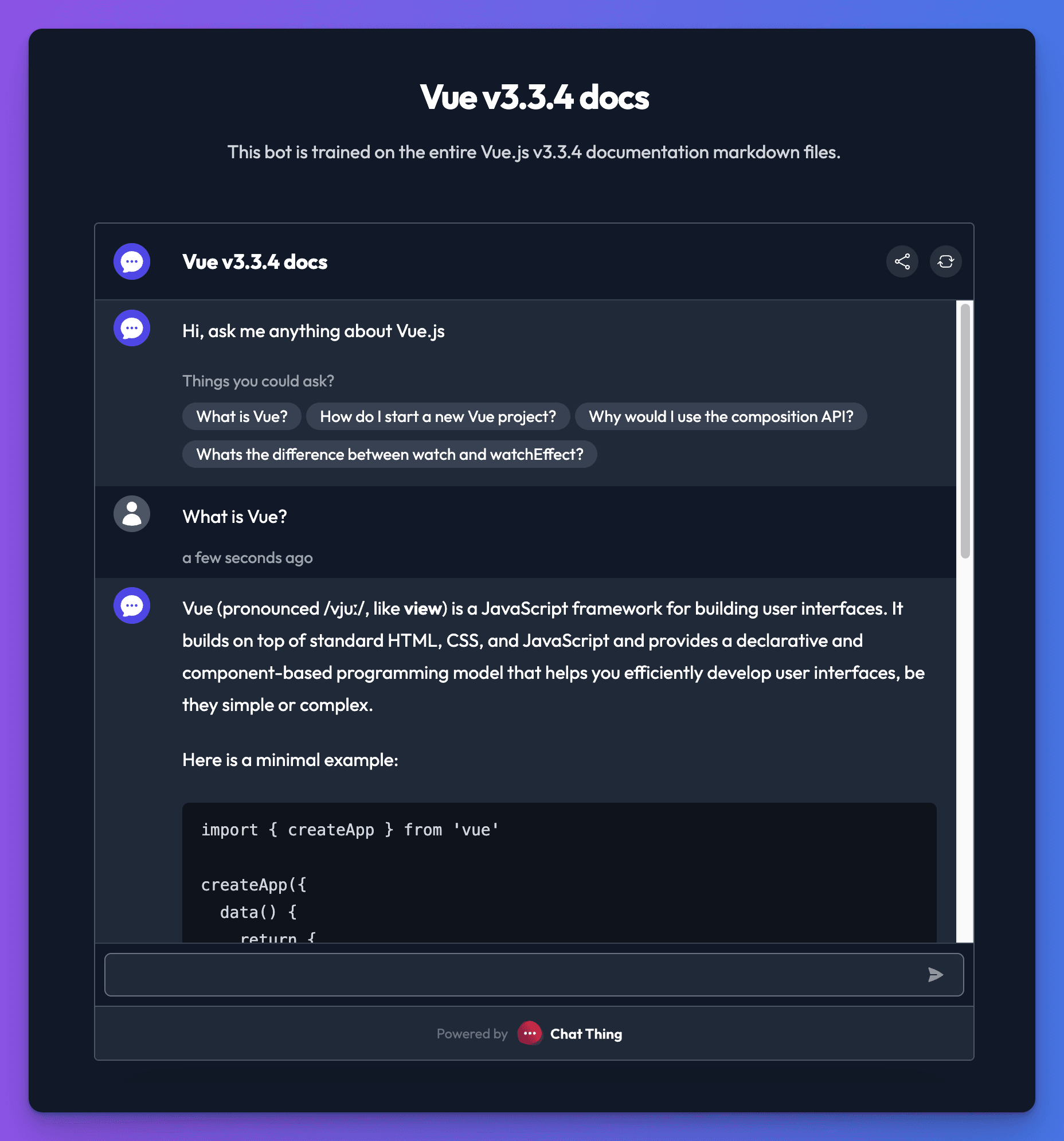
Channels are the places people talk to your bot. Every bot has a web channel: a hosted chat page and a chat widget you can add to any website. You can also connect the same bot to WhatsApp, Slack, Discord, Telegram and email, or build your own interface with the API. One bot, one set of knowledge, many channels, so an answer you fix once is fixed everywhere.
Conversations
Every chat with your bot, on any channel, appears in Conversations. Read transcripts, see which sources an answer used, take over a web chat yourself, and spot what your bot couldn't answer. Your bot's Overview page shows usage and, on Pro and Enterprise, analytics such as topics and common questions.
Otto
Otto is Chat Thing's built-in assistant. Click Ask Otto on any bot page and tell it what you want: it can explain your setup, change settings, add knowledge, test the bot and work out why an answer went wrong.
Tokens and plans
Chatting uses message tokens and syncing knowledge uses storage tokens. Your plan sets how many you get each month and which features you can use.
Limits worth knowing
A few things surprise people, so it's worth knowing them before you build.
- It knows what you've synced, plus the model's general knowledge. Your bot answers from your data sources as they were at the last sync. Edit a page and the bot only sees the change after the next sync; add a page to your website and it has to be added to the data source too. Where your content says nothing, the default instructions let the bot fall back on the model's general knowledge. If you'd rather it only answered from your content, say so in its Prompt.
- It doesn't learn from conversations. Chats, corrections and thumbs-down ratings don't change how the bot answers next time. You improve it by changing its knowledge, instructions or settings. See Improve your bot.
- It doesn't go on the web by itself. A bot can't look things up online unless you add the Google Search power-up (search results) or the Browse web page power-up (read a page during the chat). Neither adds pages to its knowledge.
- It only takes actions you've set up. Without power-ups, a bot can only talk: it can't email your team, book a meeting or look up an order. Power-ups are included on every paid plan.
- It can't take payments. There's no payments power-up. The bot can point customers to your checkout or a payment link, but it can't collect card details or charge anyone.
- It doesn't remember people between conversations. Each conversation starts fresh. To greet signed-in customers by name or tailor answers to their account, pass their details in with the JavaScript SDK or ask for them in a pre-chat form.
- Live human takeover is for web chats. A teammate can step into conversations on the website widget and bot page, but not on WhatsApp, Slack, Discord, Telegram, email or the API. See Human takeover.
Next steps
Related
- Build your first bot
Create a Chat Thing bot that answers from your own content, either by letting Otto set it up with you or step by step in the dashboard.
- Integrations
Everything Chat Thing connects to, from WhatsApp, Slack and Notion to Zapier, Cal.com, your own API and AI assistants like Claude and ChatGPT.
Last updated