Website chat widget
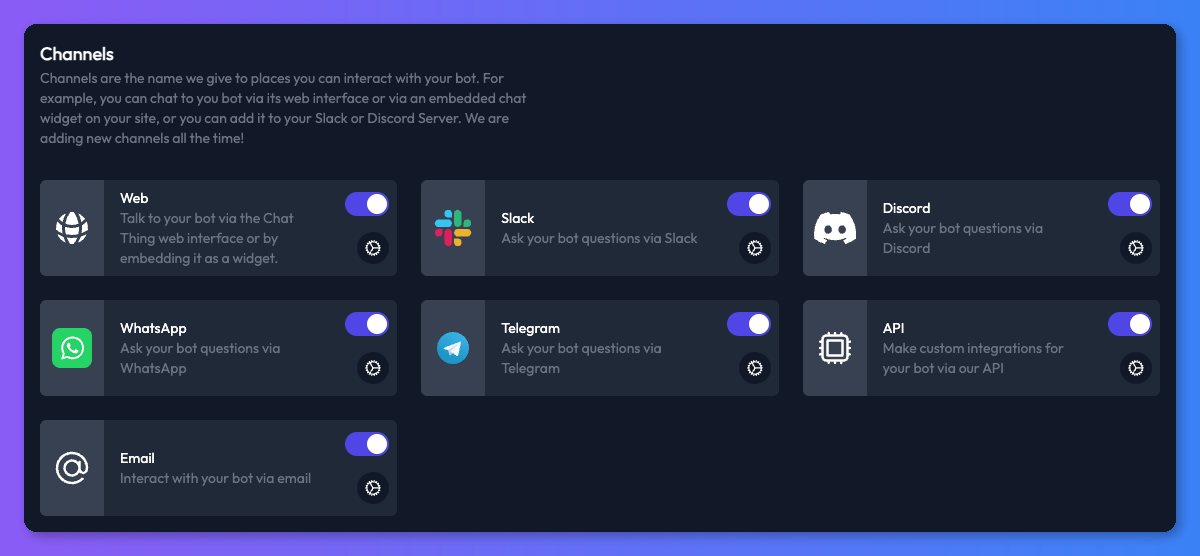
The web channel is how people chat to your bot in a browser. It's on for every bot, on every plan. You can use it in three ways: as a floating chat widget on your website, as a chat embedded inside one of your pages, or as a full-page link to the bot that you can share anywhere. All of them are set up from the same web channel settings: open your bot, select the Channels tab and click the settings icon on the Web card.
Most common tasks
- Add the chat widget to your website - get the embed code and paste it into WordPress, Shopify, Webflow, Wix, Squarespace or any other site.
- Change how the widget looks - colours, icons, light or dark mode and the first message preview.
- Remove the "Powered by Chat Thing" branding - on Standard, Pro and Enterprise.
- Ask visitors for their details first - a pre-chat form for name, email and anything else.
- Fix a widget that doesn't appear.
In this section
- Add the chat widget to your websiteCopy your bot's embed code and paste it into your site as a chat widget or embedded chat, with steps for WordPress, Shopify, Webflow, Wix and more.
- Change how the chat widget looks and behavesSet the widget's colours, light or dark mode, icons, welcome message, first message preview, link behaviour and voice input from the web channel settings.
- Remove the "Powered by Chat Thing" brandingHide the "Powered by Chat Thing" footer from your chat widget, embedded chat, bot page and shared chats. Available on Standard, Pro and Enterprise.
- Customise the chat widget with codeEvery chatThingConfig option for the Chat Thing widget - position, colours, launcher label, auto-open, per-language greetings and full CSS overrides.
- Ask visitors for their details before they chatAdd a pre-chat form to your web chat that collects a visitor's name, email or other details before the chat starts, and send the answers to your systems.
- Set the widget language and the language your bot answers inTranslate the chat widget's buttons and labels into one of 10 languages, control which language your bot answers in, and run the bot on a multilingual website.
- Control who can use your web chatPassword-protect your bot, turn on spam protection, understand where the widget can be embedded and when to allow advanced SDK features.
- Use a custom domain for your chat widgetServe your bot's widget and embed from a domain you own, such as chat.example.com, with the Custom Domain add-on. Covers DNS records and verification.
- Fix chat widget problemsWhat to check when the chat widget doesn't appear, shows old colours, blocks page scrolling or won't load on your website.
Related
- Channels
Where your bot talks to people - your website, WhatsApp, Slack, Discord, Telegram, email and the API - and which plans include each channel.
- JavaScript SDK
Control the Chat Thing website widget with window.chatThing - open it, send messages, identify users, add page context and client-side power-ups.
Last updated