Let your bot answer emails
Every bot can have its own email address. Send or forward emails to it and the bot replies using its knowledge, or processes them with power-ups - for example creating a ticket in Notion - without replying.
Standard, Pro and Enterprise
The Email channel is included on the Standard, Pro and Enterprise plans.
Who can do this: team owners and admins.
Steps
Video walkthrough, recorded in 2025. Some screens have changed since.
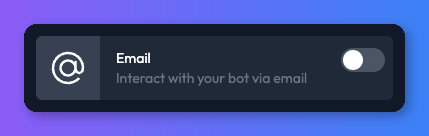
- Open your bot, select the Channels tab and turn on the Email card. The Email channel settings page opens.
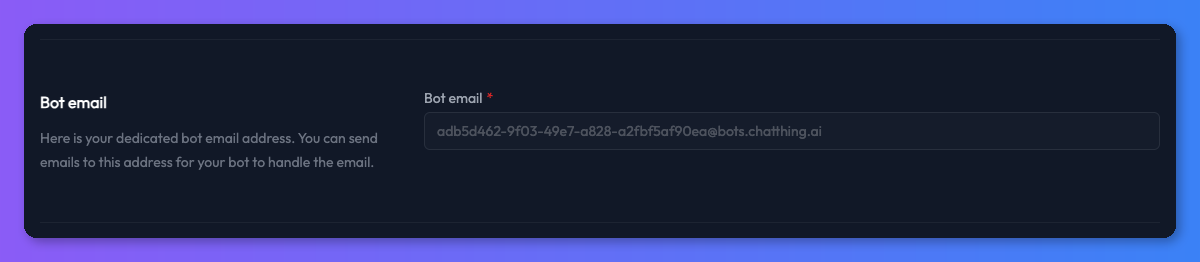
- Under Bot email, copy your bot's email address. It ends in
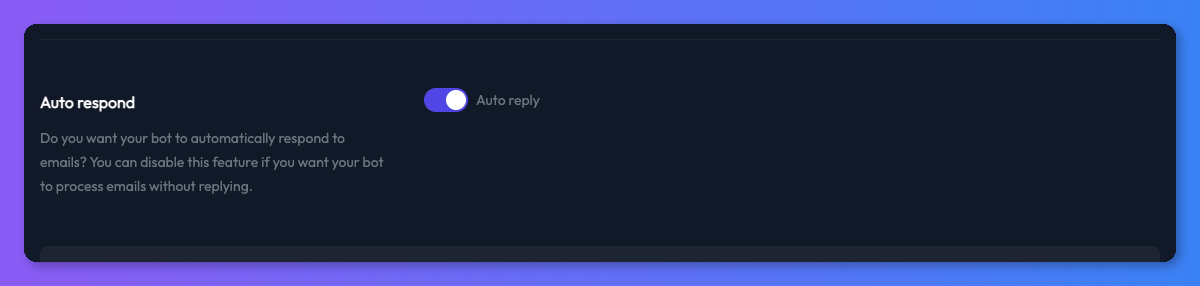
@bots.chatthing.ai. - Under Auto respond, choose whether the bot replies to emails:
- Auto reply on - the bot answers every email it receives.
- Auto reply off - the bot reads and processes emails (for example with power-ups) but doesn't reply.
- If you changed Auto reply, click Save.
Ways to use it
- Answer customer emails: forward emails from your support address to the bot's address, with Auto reply on.
- Process emails without replying: turn Auto reply off and add power-ups, so the bot can, for example, log each forwarded email as a Notion page or pass it to another system with Call your API.
Check it works
Send an email to the bot's address from your own email account with a question it should answer. With Auto reply on, you should get a reply by email. The conversation also appears in Conversations.
Troubleshooting
The bot doesn't reply
Check Auto reply is on and that you clicked Save. Check your spam folder for the reply.
The bot replies "This bot is currently unavailable"
The Email channel is turned off. Turn the Email card back on in the Channels tab.
Related
- How power-ups work
What power-ups are, how to add, edit, turn off and delete them, how your bot decides to use one, and what visitors see in the chat.
- Channels
Where your bot talks to people - your website, WhatsApp, Slack, Discord, Telegram, email and the API - and which plans include each channel.
Last updated