Chat with your own bots in My Chats
My Chats is a chat space for you. Use it to ask your own bots questions as part of your daily work, for example an internal knowledge bot that knows your policies, and to come back to those chats later.
Looking for your customers' chats?
My Chats only holds chats you start in My Chats. Conversations your bots have with customers, on your website or any other channel, are in Conversations.
| My Chats | Conversations | |
|---|---|---|
| What's in it | Chats you start yourself with your bots | Every conversation your bots have with customers |
| Who uses it | Owners and admins, each with their own list | Everyone on the team |
| Where the chats come from | The My Chats page | Website widget, Slack, WhatsApp, API and your other channels |
| Human takeover, summaries, filters | No | Yes |
Before you start
- Who can do this: team owners and admins.
- Your team needs at least one bot. My Chats appears in the sidebar once it has one.
Steps
Start a chat
- Select My Chats in the sidebar.
- On Start a new chat, open Select a bot and choose a bot. You can type to search.
- Type your message and press Enter.
The bot answers exactly as it would for a customer, using its knowledge and power-ups.
Find and continue a chat
- Your chats are listed under Chats, newest first. Select one to carry on where you left off.
- Select Search chats to search your chat history.
- Select New chat to start another chat.
Share, download or delete a chat
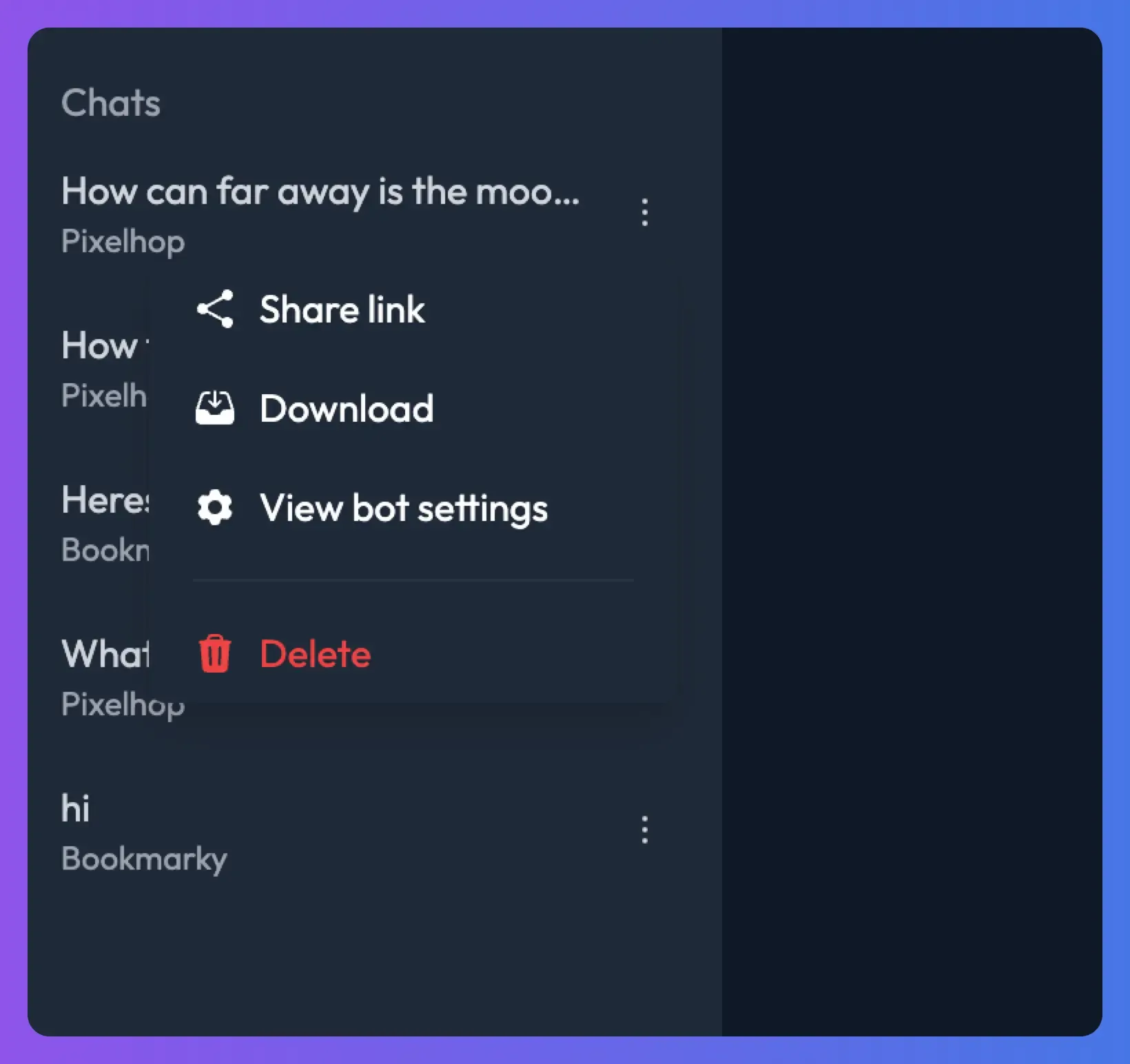
Open the ⋮ menu next to a chat:
- Share link: copies a link to a read-only copy of the chat. Anyone with the link can read it.
- Download: downloads the chat as a CSV file.
- View bot settings: opens the settings of the bot you were chatting with.
- Delete: permanently deletes the chat.
Things to know
- Your chats aren't listed in Conversations, and other people's My Chats lists don't show them.
- They use message tokens from your team's allowance, like any other chat. See Message tokens.
- They count towards the bot's usage and analytics, such as conversation counts on the bot's Overview.
Troubleshooting
I can't see My Chats in the sidebar
Check that your role is Owner or Admin and that the team has at least one bot. Responders and Viewers don't have My Chats.
My customer's conversation isn't in My Chats
That's expected. Customer conversations are in Conversations.
Related
- Review customer conversations
Find, filter and read every conversation your bots have with customers, see AI summaries and user details, and share or download transcripts.
- Answer your team's questions with an internal helpdesk bot
Set up a bot that answers staff questions about IT, HR, policies and processes from your internal docs, in Slack, Discord or a private web page.
Last updated