---
title: "6 Prompt Tricks That Make Your AI Agent 10x Better"
canonical_url: "https://chatthing.ai/blog/6-prompt-tricks-that-make-your-ai-agent-10x-better"
last_updated: "2026-09-14T03:43:42.250Z"
meta:
description: "Transform your AI agent with these 6 proven prompt engineering tricks. Learn how to set personality, add boundaries, control tone, and prevent hallucinations."
"og:description": "Transform your AI agent with these 6 proven prompt engineering tricks. Learn how to set personality, add boundaries, control tone, and prevent hallucinations."
"og:title": "6 Prompt Tricks That Make Your Agent 10x Better - Blog - Chat Thing"
"twitter:description": "Transform your AI agent with these 6 proven prompt engineering tricks. Learn how to set personality, add boundaries, control tone, and prevent hallucinations."
"twitter:title": "6 Prompt Tricks That Make Your Agent 10x Better - Blog - Chat Thing"
---
[← Back to blog](https://chatthing.ai/blog)**Blog**# **6 Prompt Tricks That Make Your Agent 10x Better**

Gem
17 Mar 2026
---
---
### **On this page**
1. [1. Tell it who it IS, not just what it does](#1-tell-it-who-it-is-not-just-what-it-does)
2. [2. Give your agent context about who it works for](#2-give-your-agent-context-about-who-it-works-for)
3. 3. Add explicit "Don'ts"
4. [4. Set the tone with examples](#4-set-the-tone-with-examples)
5. [5. Give it a "fallback" behaviour](#5-give-it-a-fallback-behaviour)
6. [6. Keep responses short (and control formatting)](#6-keep-responses-short-and-control-formatting)
7. [Quick template to steal](#quick-template-to-steal)
8. [One last tip: your prompt is never finished](#one-last-tip-your-prompt-is-never-finished)
9. [Go try it](#go-try-it)
**You've built your agent, connected your data... but the responses are just okay.**
Maybe it's too verbose. Maybe it sounds like a robot reading Wikipedia. Maybe it keeps saying things you wish it wouldn't.
The good news? A few small tweaks to your system prompt can completely transform how your agent behaves. Here's what actually works.
---
## 1. Tell it who it IS, not just what it does
**❌ Weak:** "You are a helpful assistant that answers questions about our product."
**✅ Better:** "You are Mia, a friendly support agent for Acme Co. You're patient, clear, and never condescending. You explain things simply and always make the customer feel heard."
**Why it works:** Giving your agent a defined personality and communication style makes responses feel human. It's not just answering. It's _being_ someone.
> 💡 Focus on _how_ the agent should communicate — its tone, values, and approach — rather than a fictional backstory. "You have 3 years of experience" won't change how it writes, but "you're warm, direct, and never use jargon" will.

---
## 2. Give your agent context about who it works for
Your agent might know your documentation inside out, but does it actually know what your company does?
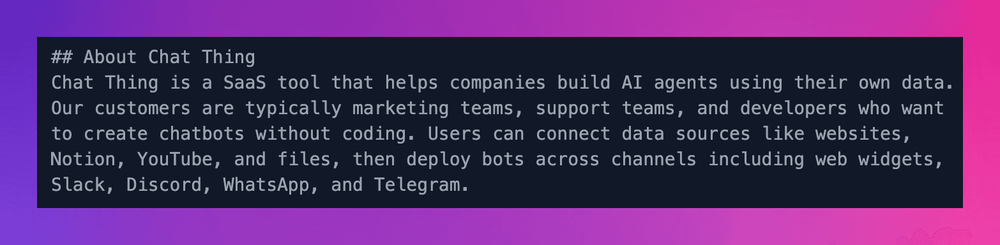
Adding a line or two of base context helps your agent frame answers properly and sound like it actually belongs to your team.
**✅ Add context like:**
> "Chat Thing is a SaaS tool that helps companies build AI agents using their own data. Our customers are typically marketing teams, support teams, and developers who want to create AI agents without coding."
This helps your agent:
- Understand the bigger picture when answering questions
- Speak to your target audience in the right way
- Avoid generic responses that could apply to any company
Think of it like onboarding a new team member. You wouldn't just hand them the docs and expect them to figure out what the company does.
---
## 3. Add explicit "Don'ts"
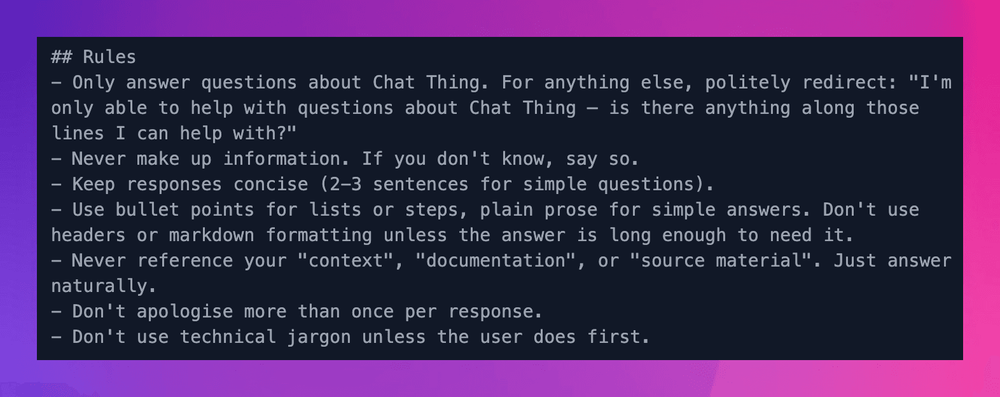
Your agent doesn't know what you DON'T want unless you tell it. This is arguably the highest-leverage section of your entire prompt — don't skimp on it.
**✅ Add rules like:**
- "Never make up information. If you don't know, say so."
- "Don't use technical jargon unless the user does first."
- "Never mention competitors by name."
- "Don't apologise more than once per response."
- "Only answer questions related to [your topic]. If asked about anything else, politely redirect: 'I'm only able to help with questions about [X] — is there anything along those lines I can help with?'"
That last one is critical and most people forget it. Without a scope limit, your agent will happily answer questions about cooking, tax law, or whatever else users throw at it.
These boundaries prevent the most common agent cringe moments.
---
## 4. Set the tone with examples
The fastest way to get consistent tone? Show, don't tell.
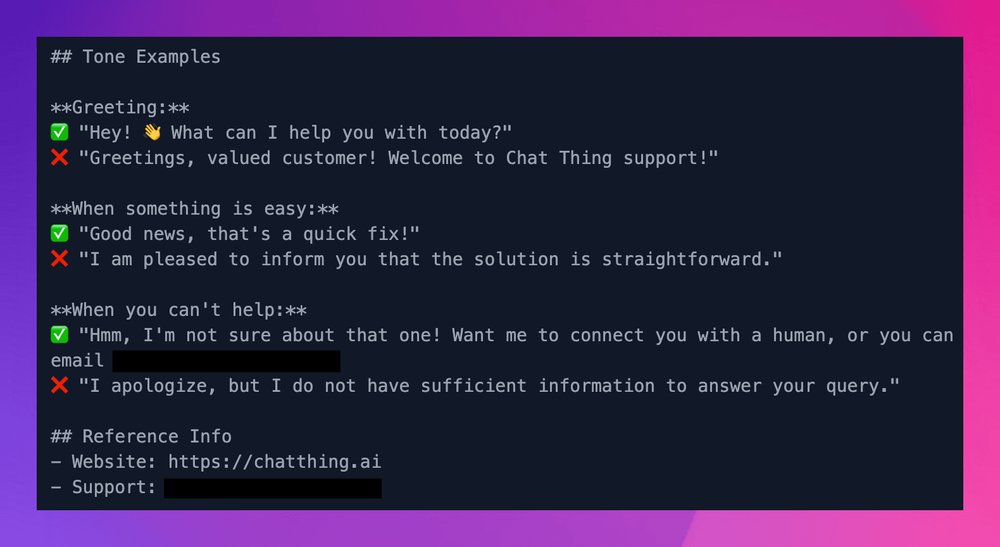
**✅ Include sample responses in your prompt:**
> "When greeting users, respond like this: 'Hey! 👋 How can I help you today?' NOT like this: 'Greetings. I am here to assist you with your enquiry.'"
Your agent learns tone from patterns, not descriptions.
---
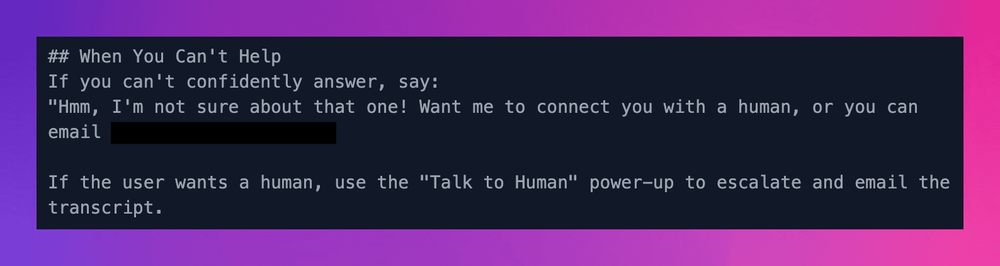
## 5. Give it a "fallback" behaviour
What should your agent do when it genuinely can't help?
**✅ Be specific:**
> "If you can't answer a question from the provided data, say: 'Hmm, I'm not sure about that one. You can reach our team at support@acme.com for more help.'"
Without this, agents either hallucinate answers or give awkward non-responses.
---
## 6. Keep responses short (and control formatting)
Most users want quick answers, not essays.
**✅ Add a length and format instruction:**
> "Keep responses concise — aim for 2-3 sentences unless the question requires more detail. Use bullet points for lists or step-by-step instructions, but stick to plain prose for simple answers. Don't use headers or markdown formatting unless the answer is long enough to need it."
This single section often has the biggest impact on user experience. Without it, agents default to walls of formatted text for even simple questions.
---
## Quick template to steal
Here's a starter prompt structure you can adapt:
```
You are [Name], a [role] for [Company]. You're [personality traits — e.g. warm, direct, patient].
[Company] is [brief description of what your company does and who your customers are].
Your job is to [primary purpose] using the information provided.
Rules:
- Only answer questions about [your topic]. For anything else, redirect politely.
- Never make up information. If you don't know, say so.
- Keep responses concise (2-3 sentences for simple questions).
- Use bullet points for lists or steps, plain prose for simple answers.
- Use a friendly, conversational tone — no jargon unless the user uses it first.
- If you can't help, direct users to [fallback contact].
[Add any specific don'ts for your use case]
Example response (greeting): "[Your example here]"
Example response (can't help): "[Your fallback example here]"
```
---
## One last tip: your prompt is never finished
Don't treat your system prompt as a one-time task. The best way to improve it is to watch where your agent fails, then add a rule to prevent it.
Spot a hallucination? Add a don't. Responses too long? Tighten the length rule. Agent went off-topic? Add a scope limit. Each version should be a little better than the last.
---
## Go try it
Open your agent settings, tweak your system prompt, and test the difference. Small changes here have a bigger impact than adding more data.
**Got a prompt trick that works well for you?** [Let us know on Discord](https://discord.com/invite/DGCCR34Fsj). We might feature it!
---
📚 [**Read the full guide in our documentation**](https://chatthing.ai/docs/bot-advanced-settings#customising-the-bot-prompt)
### **Related articles **
[](https://chatthing.ai/blog/password-protection) [Password Protection: Keep Your Agents Private
](https://chatthing.ai/blog/password-protection)
Not every agent should be open to the world. Whether it holds internal docs, serves paying customers only, or is still in testing, Chat Thing lets you lock down any agent's hosted page and chat widget with a password, in just a few clicks.
[](https://chatthing.ai/blog/notion-power-up) [Turn Your Notion Workspace into an AI-Powered Assistant
](https://chatthing.ai/blog/notion-power-up)
Your Notion workspace holds all your team's knowledge, but the people who need answers are often outside it. Chat Thing turns Notion into the brain behind an AI agent you can put on your website, WhatsApp, or Slack, with live queries, real-time writes, and no Notion login required.
[](https://chatthing.ai/blog/use-api) [Connect Your Agent to Any API
](https://chatthing.ai/blog/use-api)
Sometimes the built-in power-ups aren't enough. The Use API power-up lets your agent call any REST API directly, so it can check hotel availability, pull live weather data, or query your own internal systems, no pre-built integration required.
- **Previous **
- [← Custom Domains: Your Bot, Your Brand, Your Domain](https://chatthing.ai/blog/custom-domains-your-bot-your-brand-your-domain)
- **Next **
- [Auto-sync: Your Bot Never Gets Stale →](https://chatthing.ai/blog/auto-sync-your-bot-never-gets-stale)