---
title: "Keep Your AI Bot Up to Date with Auto-Sync"
canonical_url: "https://chatthing.ai/blog/auto-sync-your-bot-never-gets-stale"
last_updated: "2026-09-19T23:06:49.605Z"
meta:
description: "Stop your AI bot from giving outdated answers. Auto-sync your data to keep your bot accurate, updated, and maintenance-free."
"og:description": "Stop your AI bot from giving outdated answers. Auto-sync your data to keep your bot accurate, updated, and maintenance-free."
"og:title": "Auto-sync: Your Bot Never Gets Stale - Blog - Chat Thing"
"twitter:description": "Stop your AI bot from giving outdated answers. Auto-sync your data to keep your bot accurate, updated, and maintenance-free."
"twitter:title": "Auto-sync: Your Bot Never Gets Stale - Blog - Chat Thing"
---
[← Back to blog](https://chatthing.ai/blog)**Blog**# **Auto-sync: Your Bot Never Gets Stale**

Gem
23 Mar 2026
---
---
### **On this page**
1. [The "stale bot" problem](#the-stale-bot-problem)
2. [Auto-sync fixes this](#auto-sync-fixes-this)
3. Auto-sync fixes this
4. [The clever bit: Sync Diffs](#the-clever-bit-sync-diffs)
5. [Best use cases for auto-sync](#best-use-cases-for-auto-sync)
6. [How to set it up](#how-to-set-it-up)
7. [Stop babysitting your bot](#stop-babysitting-your-bot)
# Your Bot Never Gets Stale: How Auto-Sync Keeps Your AI Up to Date
**You built a great bot. Trained it on your docs. It was answering questions perfectly.**
Then you updated your pricing page. Rewrote your FAQ. Added a new feature.
Now your bot is confidently giving outdated answers. And you're manually re-syncing data sources every time something changes. Again.
Sound familiar?
---
## The "stale bot" problem
Most AI bots are frozen in time. They know what you told them on day one, and nothing after that.
This creates a few headaches:
- **Wrong answers:** Your bot tells customers about features you deprecated months ago
- **Manual maintenance:** Someone has to remember to re-sync after every content update
- **Lost trust:** Users stop asking the bot because "it's always out of date"
The bigger your content library, the worse this gets.
## Auto-sync fixes this
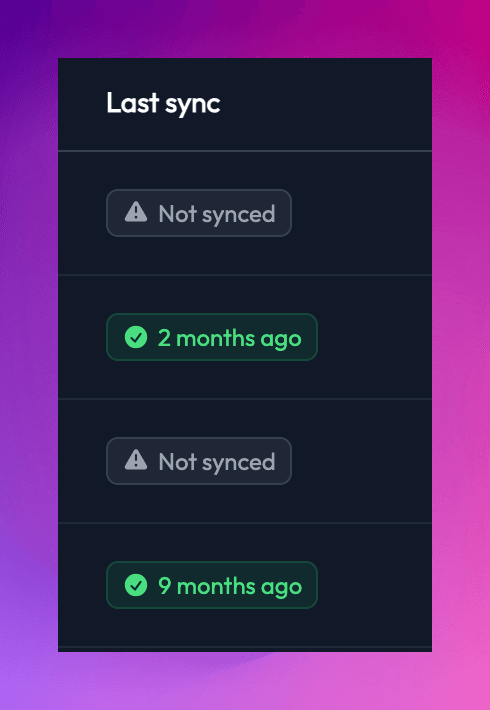
Chat Thing can automatically re-sync your data sources on a schedule you choose. Daily, weekly, whatever works for your content.
**Here's what happens:**
1. You connect a data source (website, Notion, YouTube, RSS, files)
2. You set a sync schedule
3. Chat Thing checks for changes automatically
4. Your bot learns the new stuff without you lifting a finger
That's it. Your pricing page changes? Bot knows. New blog post? Bot's read it. Updated your docs? Already synced.
## Auto-sync fixes this
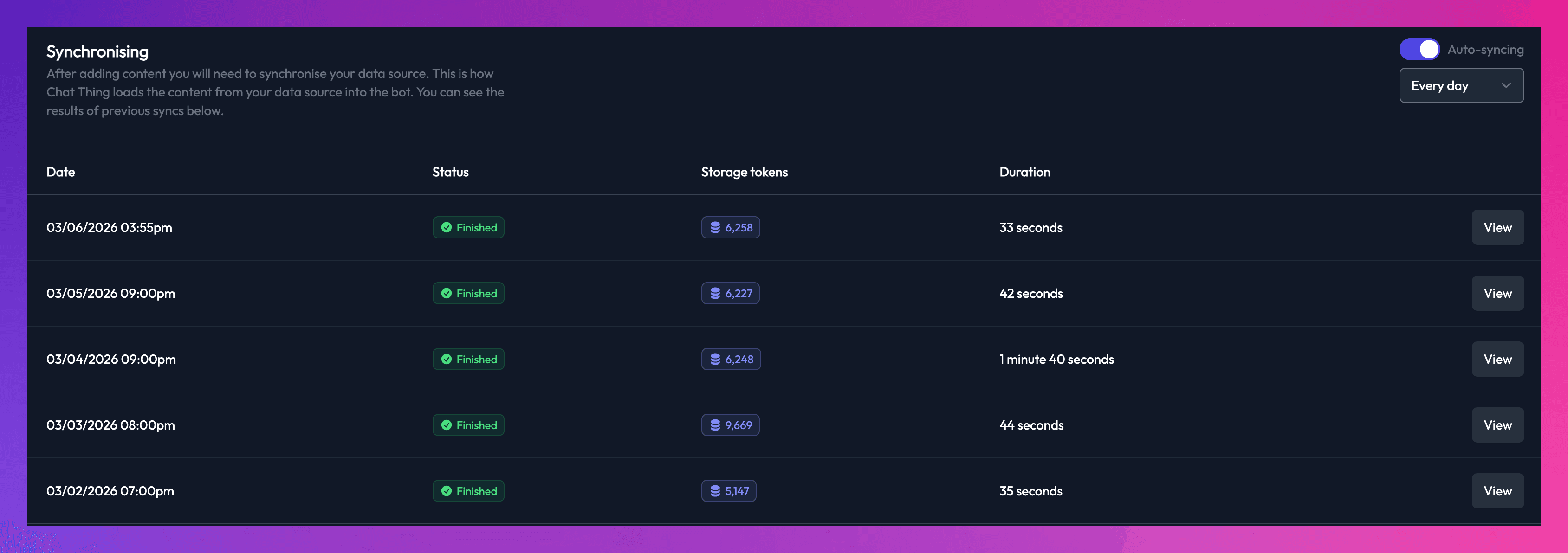
Chat Thing can automatically re-sync your data sources on a schedule you choose. Daily, weekly, whatever works for your content.
**Here's what happens:**
1. You connect a data source (website, Notion, YouTube, RSS, files)
2. You set a sync schedule
3. Chat Thing checks for changes automatically
4. Your bot learns the new stuff without you lifting a finger
That's it. Your pricing page changes? Bot knows. New blog post? Bot's read it. Updated your docs? Already synced.
## The clever bit: Sync Diffs
Here's where it gets smart.
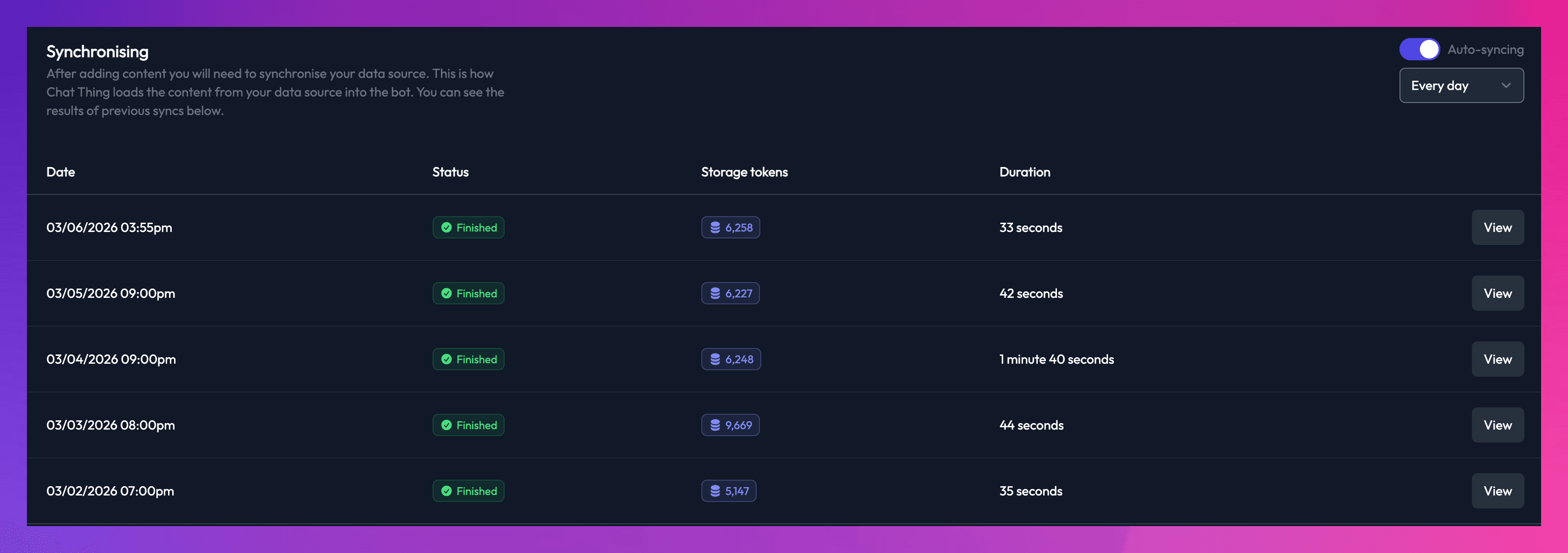
When Chat Thing syncs, it doesn't re-process everything from scratch. It checks what's actually changed and only syncs the new or updated content.
**Why this matters:**
- Uses fewer storage tokens (saves you money)
- Syncs faster
- You can sync more frequently without burning through your allowance
If you update one page on a 500-page website, Chat Thing syncs that one page. Not all 500.
---
## Best use cases for auto-sync
**Documentation sites:** Docs change constantly. Auto-sync keeps your support bot accurate without anyone thinking about it.
**News and blog content:** Connect an RSS feed and your bot automatically learns about new posts as they're published.
**Notion workspaces:** Your team updates Notion daily. Your bot stays current with the latest processes, policies, and info.
**E-commerce:** Product details, pricing, availability. All changing all the time. Auto-sync handles it.
---
## How to set it up
1. Go to your bot's [ Data Sources tab](lhttps://chatthing.ai/app/auth/login?redirect=/app/bots)
2. Click the three dots on any data source
3. Choose Settings
4. Go to the sync tab
5. Turn on Auto-sync
6. Set your preferred sync schedule
7. Done
Your bot now maintains itself. 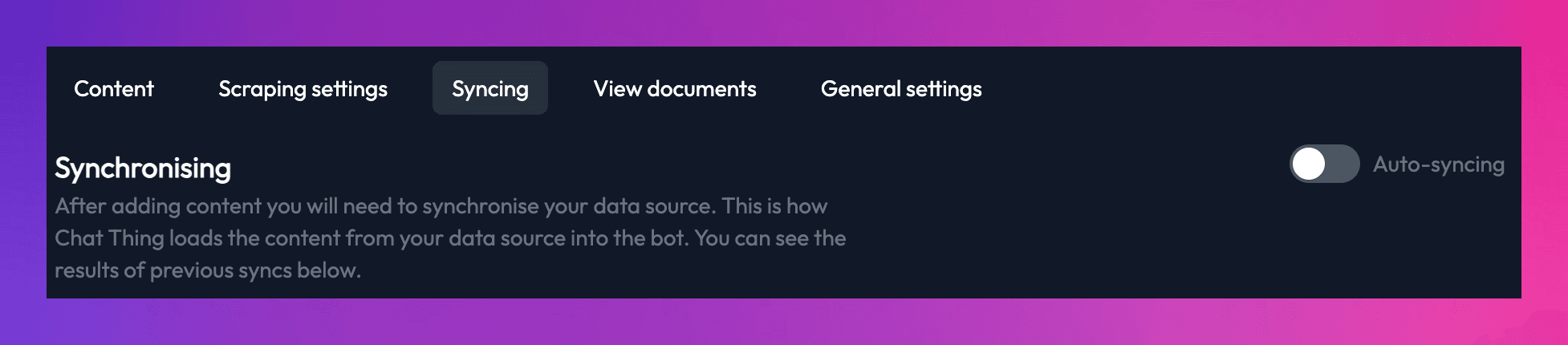
## Stop babysitting your bot
The best bots are the ones you don't have to think about. They just work, with the right information, all the time.
Auto-sync makes that possible. Set it up once, and your bot stays fresh forever.
**Ready to try it?** [Create a free account](https://chatthing.ai/app/auth/register) and connect your first data source. Your future self will thank you.
### **Related articles **
[](https://chatthing.ai/blog/blog-coworking-space-agent) [Our co-working space down the road just got an AI agent. Here's what happened.
](https://chatthing.ai/blog/blog-coworking-space-agent)
C-Space is a coastal coworking space in Newquay with hot desks, private offices and event hire. This case study looks at how their AI agent answers the everyday questions, parking, opening hours, walk-ins, the moment they come in, so the team can stay focused on running the space instead of sitting on the inbox.
[](https://chatthing.ai/blog/password-protection) [Password Protection: Keep Your Agents Private
](https://chatthing.ai/blog/password-protection)
Not every agent should be open to the world. Whether it holds internal docs, serves paying customers only, or is still in testing, Chat Thing lets you lock down any agent's hosted page and chat widget with a password, in just a few clicks.
[](https://chatthing.ai/blog/notion-power-up) [Turn Your Notion Workspace into an AI-Powered Assistant
](https://chatthing.ai/blog/notion-power-up)
Your Notion workspace holds all your team's knowledge, but the people who need answers are often outside it. Chat Thing turns Notion into the brain behind an AI agent you can put on your website, WhatsApp, or Slack, with live queries, real-time writes, and no Notion login required.
- **Previous **
- [← 6 Prompt Tricks That Make Your Agent 10x Better](https://chatthing.ai/blog/6-prompt-tricks-that-make-your-ai-agent-10x-better)
- **Next **
- [Website Crawling: Train Your Agent on 100+ Pages in 2 Minutes →](https://chatthing.ai/blog/website-crawling)