Webhooks
Webhooks connect a bot to the rest of your tools. Chat Thing can call your URL when something happens, such as a new conversation or a customer asking for a person, and your systems can call a Chat Thing URL to re-sync a data source, for example when you publish an article in your CMS.
Webhooks are set up per bot, on the bot's Webhooks tab. You need to be an owner or admin of the bot's team.
Webhook types
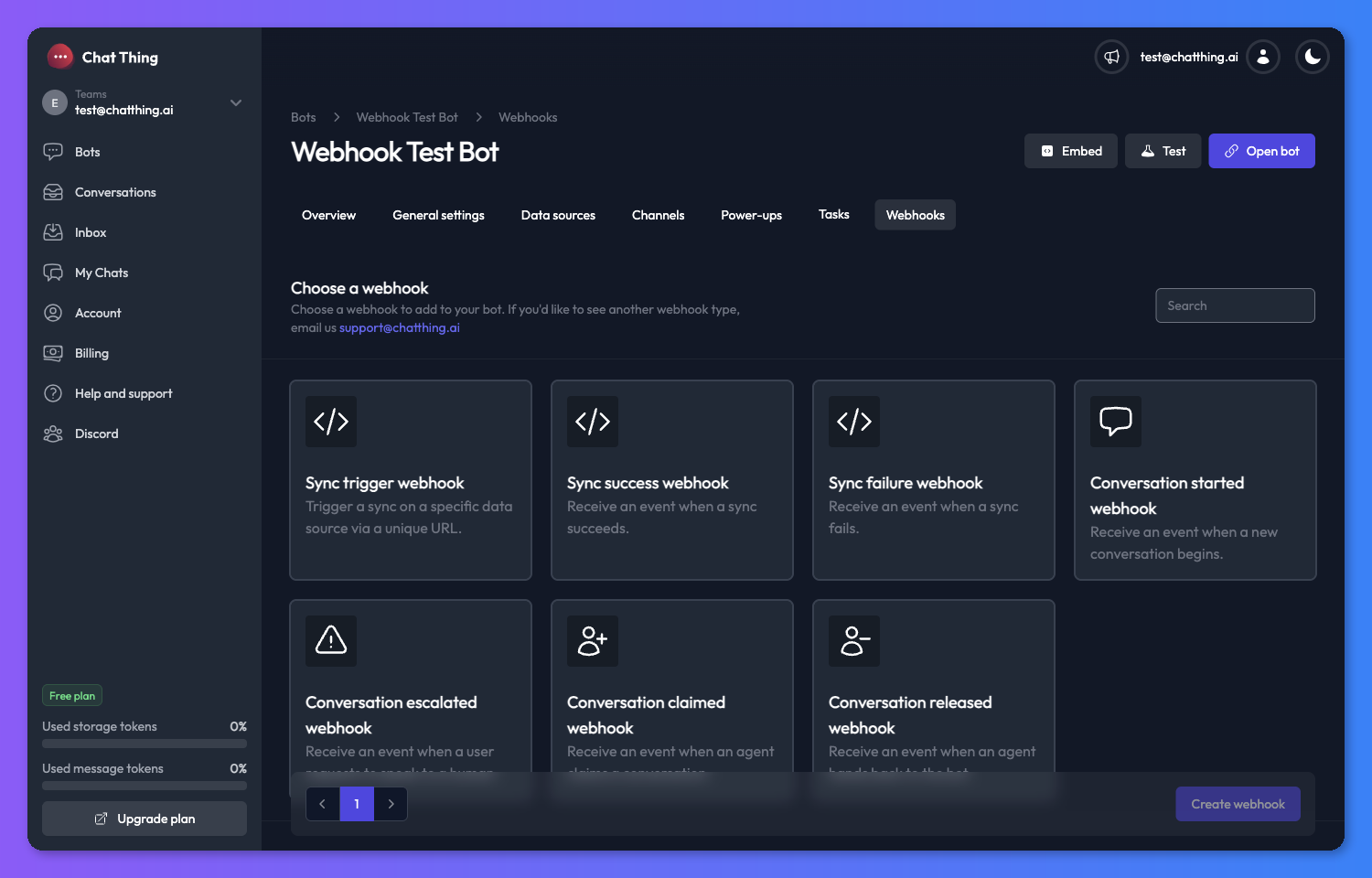
| Webhook | Direction | Fires when |
|---|---|---|
| Sync trigger | Incoming: your system calls Chat Thing | Your system calls the webhook's URL. It starts a sync on one data source |
| Sync success | Outgoing: Chat Thing calls your URL | A data source finishes syncing |
| Sync failure | Outgoing | A data source fails to sync |
| Conversation started | Outgoing | A new conversation starts with the bot |
| Conversation escalated | Outgoing | A user asks to speak to a person through the Talk to a human power-up |
| Conversation claimed | Outgoing | A team member takes over a conversation |
| Conversation released | Outgoing | A team member hands a conversation back to the bot |
Incoming webhooks only need a secret, which is part of the URL you give to the other system. Outgoing webhooks need the URL to send events to, plus a secret you can use to check the request really came from Chat Thing.
Add a webhook
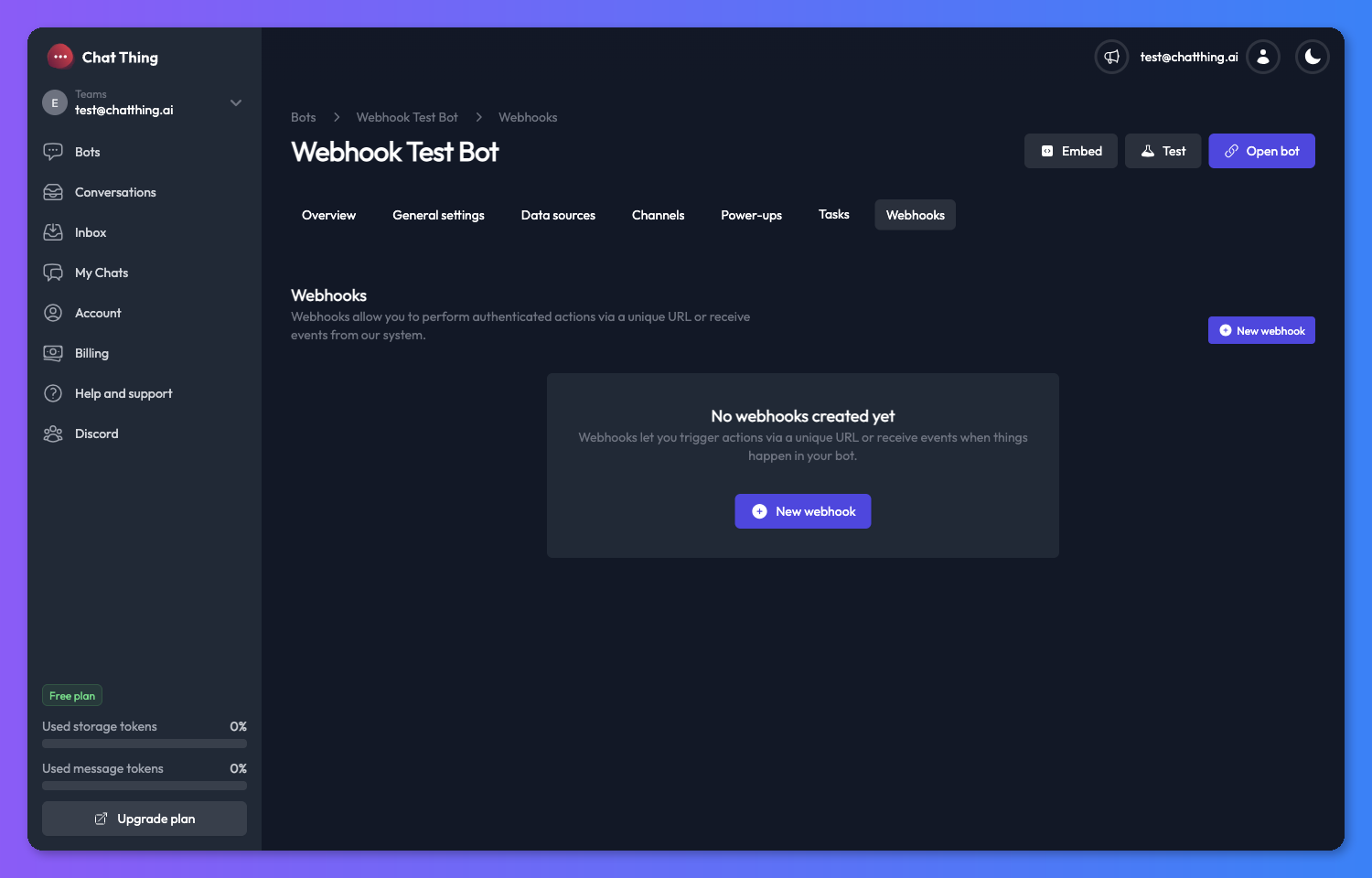
- Open your bot and go to the Webhooks tab.
- Click New webhook.
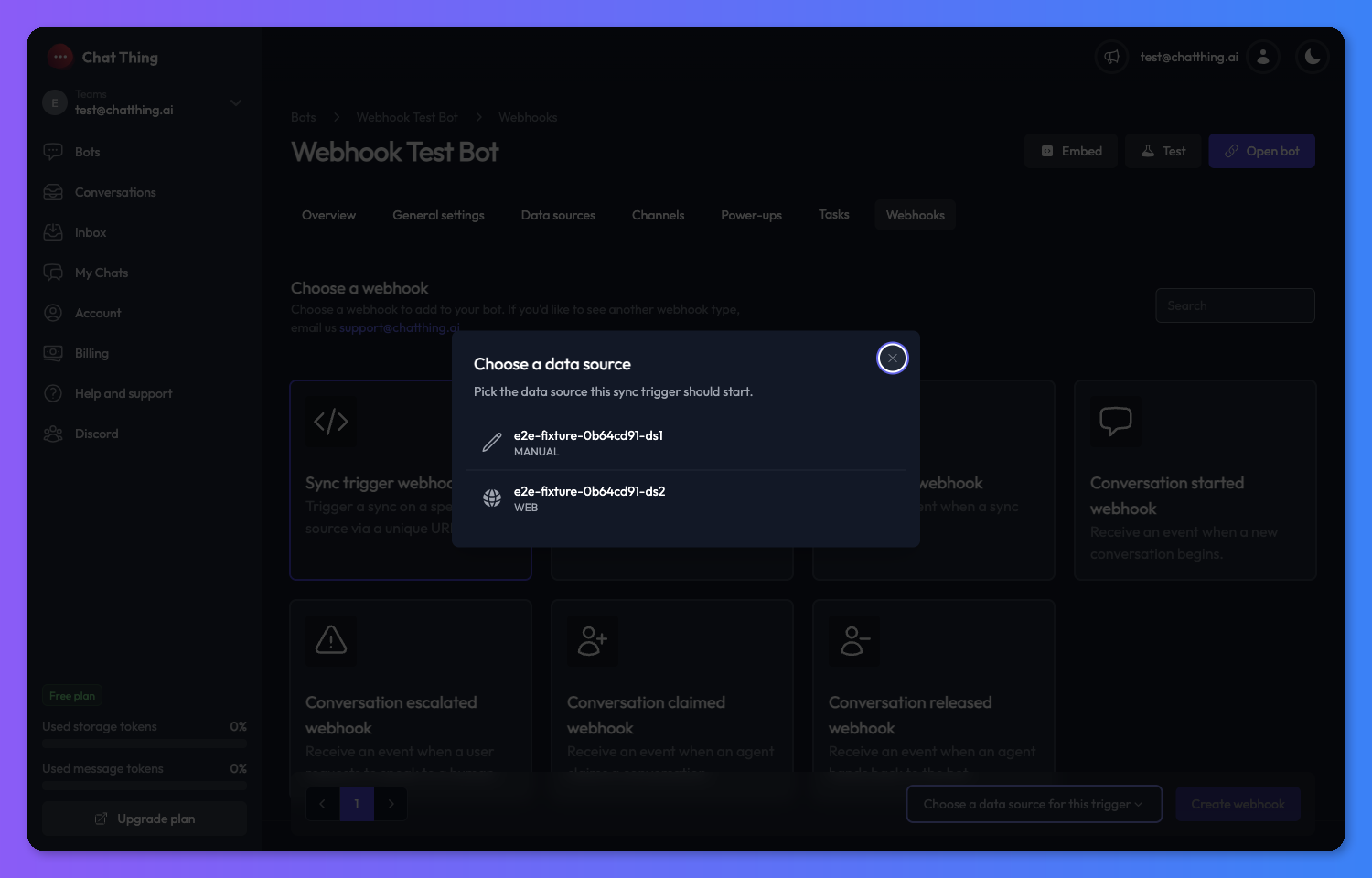
- Choose the webhook type. For a Sync trigger webhook, also choose the Data source it should sync.
- Click Create webhook. The webhook's settings page opens. New webhooks start turned off.
- Fill in the settings (see Outgoing webhook settings or Sync trigger webhook) and click Save.
- Test it (see Test a webhook).
- Turn on the toggle at the top of the settings page. It changes to Webhook is enabled.
Manage webhooks
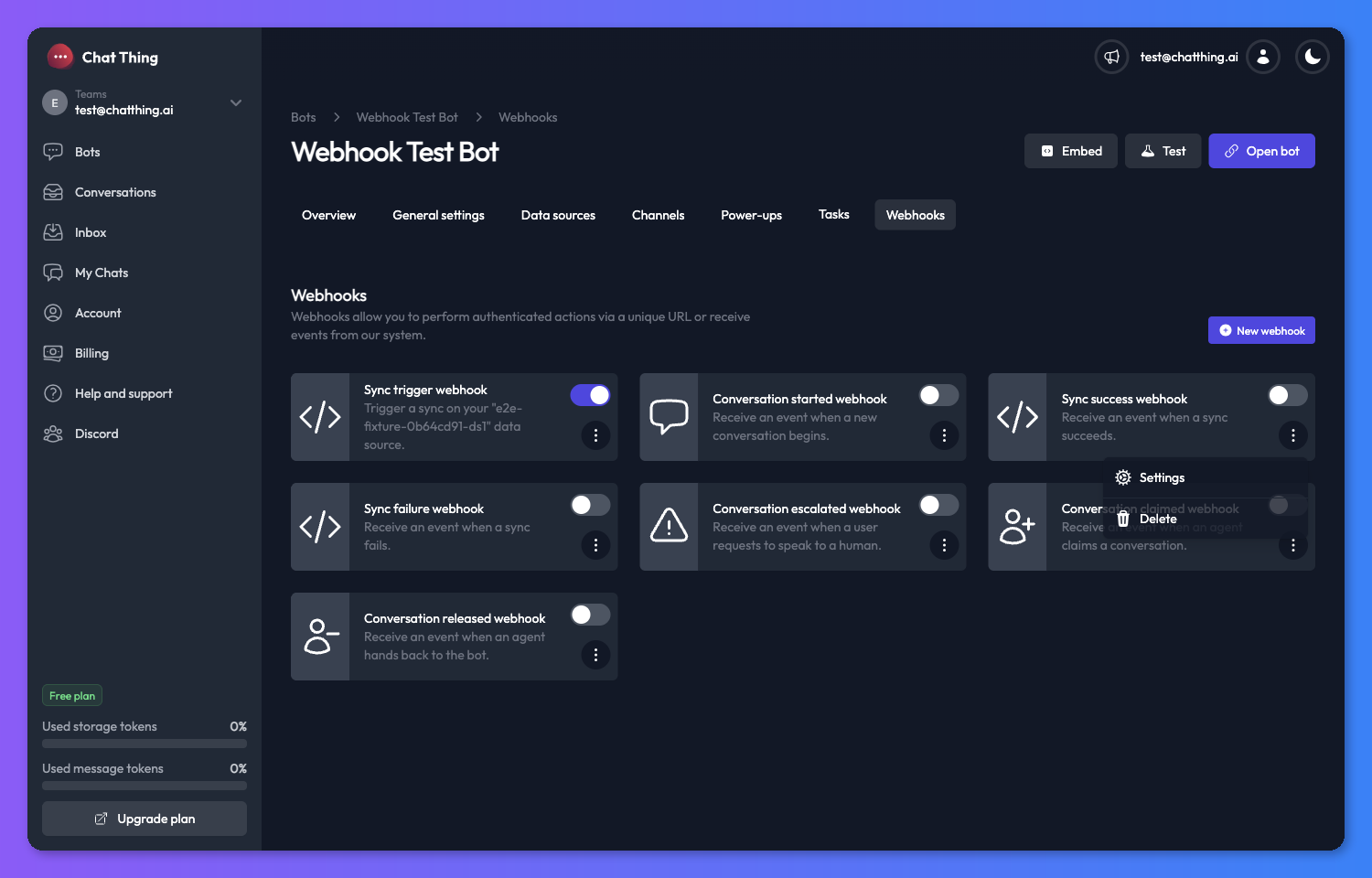
- Turn a webhook on or off with the toggle on its card or at the top of its settings page. A turned-off outgoing webhook sends no events (though you can still test it). A turned-off Sync trigger webhook rejects calls to its URL.
- Edit a webhook: on its card, open the menu (⋮) and choose Settings.
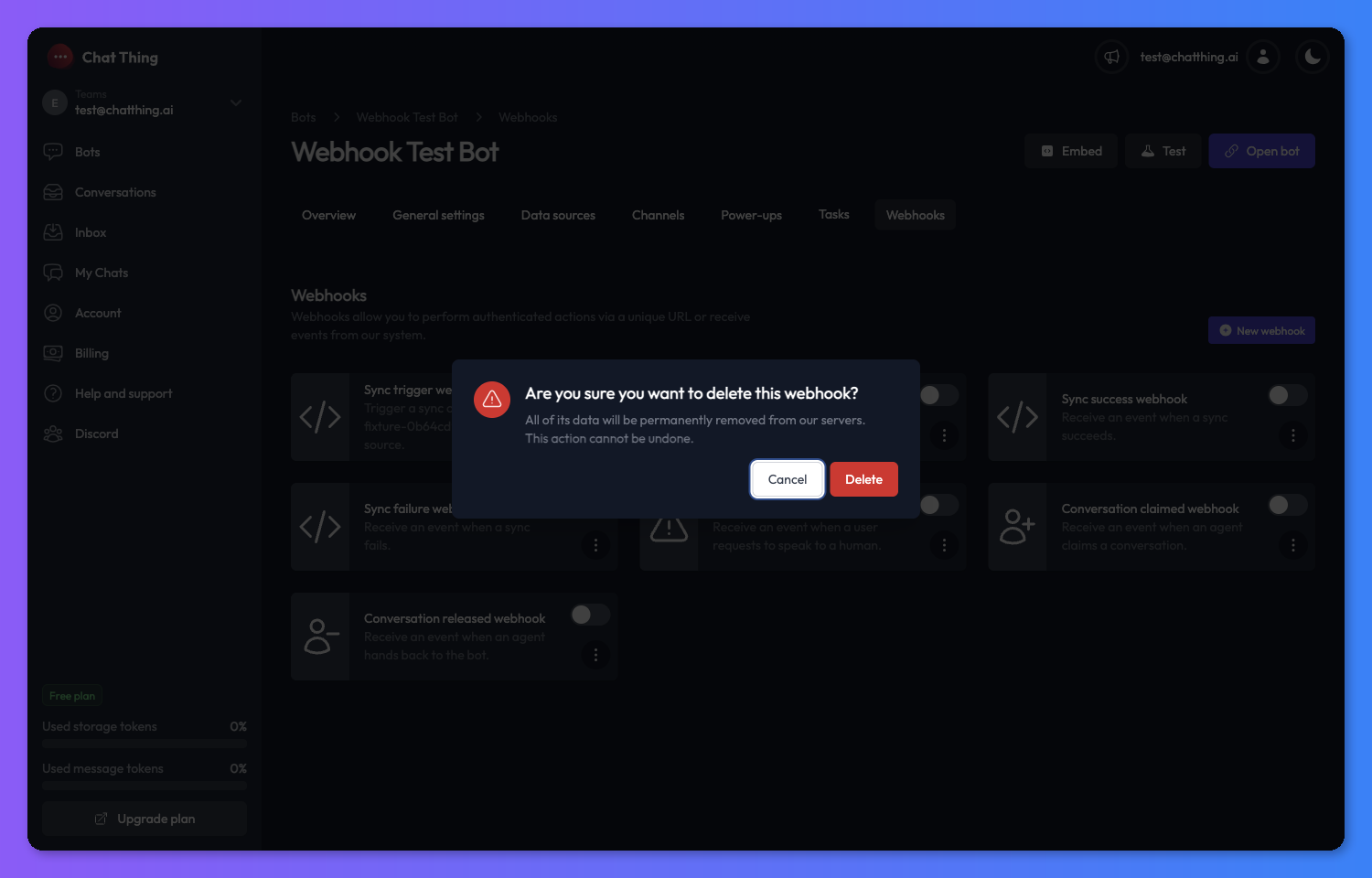
- Delete a webhook: open the menu (⋮), choose Delete and confirm. This can't be undone, and a Sync trigger webhook's URL stops working.
Test a webhook
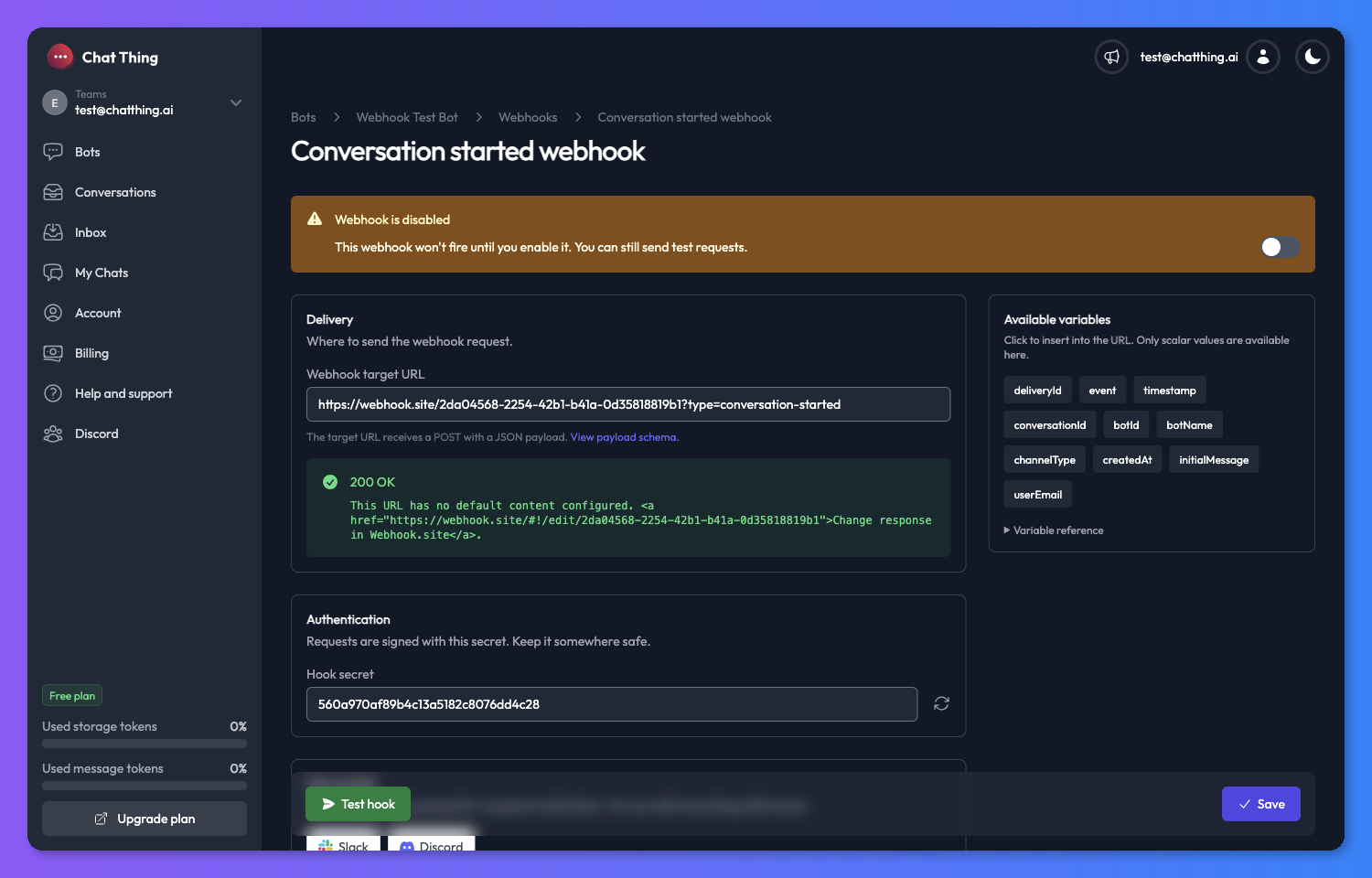
- Outgoing webhooks: click Test hook at the bottom of the settings page. Chat Thing sends a sample event to your saved URL, using your saved headers and body, and shows the response status and body at the top of the page. It uses the saved settings, so click Save first. Testing works even while the webhook is turned off, and test requests carry the header
X-ChatThing-Test: true. - Sync trigger webhooks: click Trigger webhook. It opens the webhook URL in a new tab, which starts a sync.
Outgoing webhook settings
Delivery
- Webhook target URL: the full URL to send events to, including
https://. Chat Thing sends aPOSTunless you change the method in a custom payload. - Data source (Sync success and Sync failure only): leave empty to fire for every data source on the bot, or choose one.
Authentication
Every outgoing webhook has a Hook secret, used to sign each request (see Verify requests). Click the regenerate icon to create a new one. Once you save a new secret, requests are signed with it, so update your receiver at the same time.
Use a preset
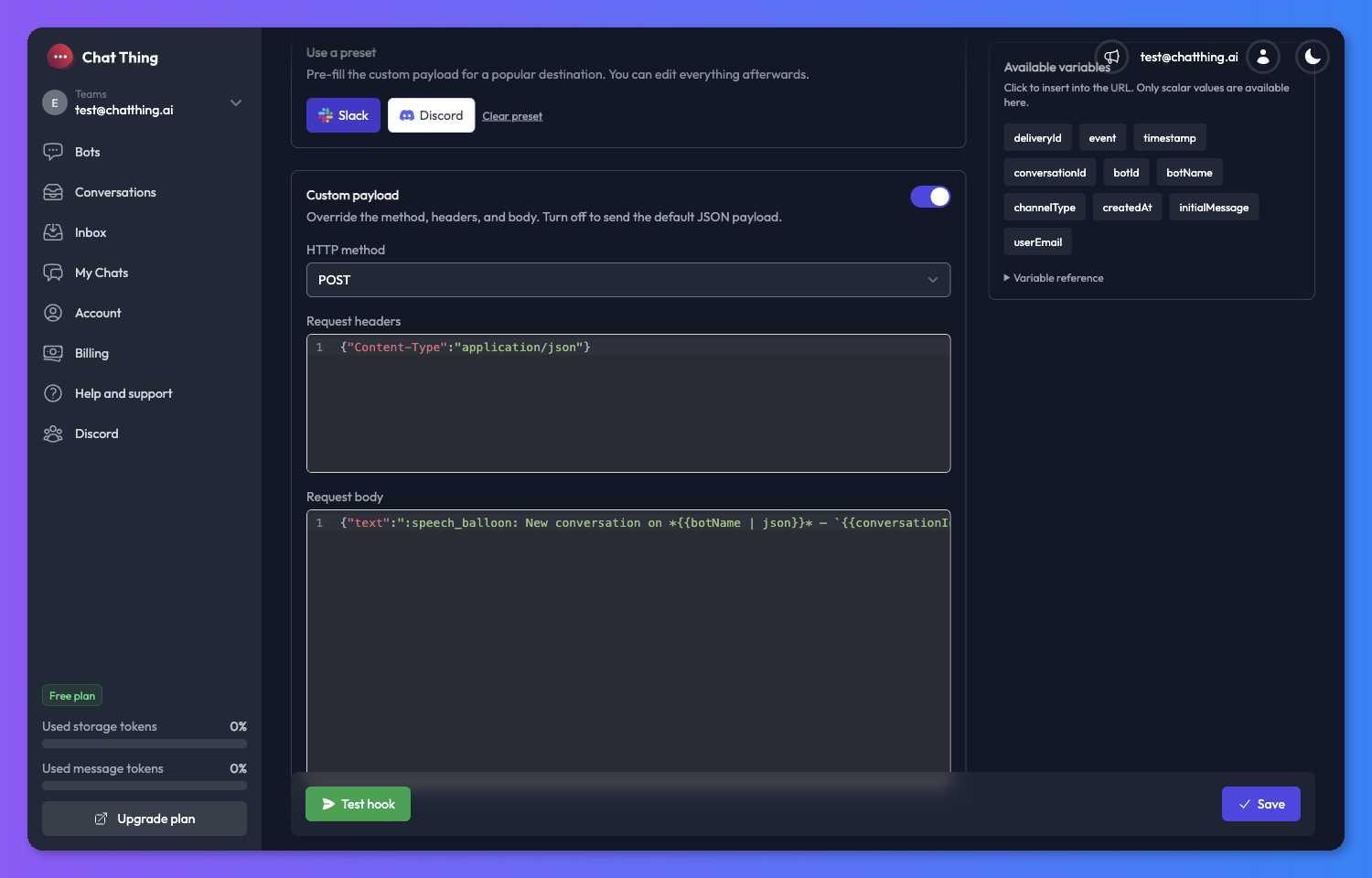
To post events straight into a chat app, click Slack or Discord under Use a preset, then paste that app's incoming webhook URL as the Webhook target URL. The preset fills in a ready-made message you can edit. Click Clear preset to go back.
Custom payload
By default, each webhook sends a fixed JSON body (shown for each type below) with a POST. Turn on Custom payload to change it:
- HTTP method:
POST,PUT,PATCH,GETorDELETE. - Request headers: a JSON object of headers.
- Request body: the exact text to send.
You can put variables in the target URL, headers and body using {{path}} placeholders. They're filled in from the event when it's sent. For example, on a Conversation started webhook:
{ "bot": "{{conversation.botName}}", "message": "{{conversation.initialMessage}}" }
Useful details:
- Most variables also have a short name, such as
{{botName}},{{conversationId}},{{initialMessage}},{{userData}}or{{agentName}}. The variables sidebar shows both. - Add
| jsonto insert a value safely inside a JSON string, for example"text": "New chat: {{initialMessage | json}}". It escapes quotes and line breaks, and turns objects into text. - The target URL and headers can only use single values (text, numbers or true/false), such as
{{conversation.id}}, not whole objects such as{{conversation}}. The body can use both: objects and arrays are sent as JSON. - If a placeholder doesn't match anything (for example a typo like
{{conversation.userData.emial}}), it's sent as-is. Test hook warns you about these before you go live.
Variables sidebar
The sidebar lists every variable for the webhook type. Click a variable to insert it into the field you last clicked. While you're editing the URL or headers, it only shows single values. While you're editing the body, it shows everything, and marks objects with an object badge. Open Variable reference at the bottom for a description of each one.
Sync trigger webhook
Call this webhook's URL from another system to re-sync a data source, for example from your CMS when you publish a page.
- Choose the Data source to sync.
- Save, turn the webhook on, and copy the URL from the sidebar. It looks like this:
https://app.chatthing.ai/api/public/hooks/{hookId}/{secret}
The secret is part of the URL, so there's no separate header. Regenerating the secret changes the URL and the old one stops working.
Treat the URL like a password
Anyone with the URL can start a sync on your data source. If it leaks, regenerate the secret.
Call it with any HTTP method:
curl --request POST \
  --url https://app.chatthing.ai/api/public/hooks/{hookId}/{secret}
A successful call returns { "success": true } once the sync has started. If a sync is already running, or your team is out of storage tokens, you get 429 with "success": false and a message explaining why. Each sync uses storage tokens.
Event payloads
Every outgoing event body includes a deliveryId: the same id as the X-ChatThing-Delivery-Id header. It stays the same across retries, so you can use it to ignore duplicates.
The conversation events also include conversation.conversationLink, a link that opens the conversation in Chat Thing.
Sync success webhook
Fires when a data source on the bot finishes syncing. If you chose a data source, it only fires for that one.
| Field | Type | Description |
|---|---|---|
success | boolean | Always true |
results.totalTokens | number | Storage tokens used by this sync |
results.modifiedRows | number | Rows that changed since the last sync |
results.unmodifiedRows | number | Rows that didn't change |
results.totalDataSourceRows | number | Rows in the data source |
results.totalDocuments | number | Documents created from the data source |
bot | string | The bot's name |
dataSource | string | The data source's name |
{
  "success": true,
  "deliveryId": "d3c5a9e8-1b2c-4f5a-9b8d-1a2b3c4d5e6f",
  "results": {
    "totalTokens": 241245,
    "modifiedRows": 15,
    "totalDocuments": 20,
    "unmodifiedRows": 0,
    "totalDataSourceRows": 15
  },
  "bot": "Support bot",
  "dataSource": "Help centre"
}
Sync failure webhook
Fires when a data source on the bot fails to sync. If you chose a data source, it only fires for that one.
| Field | Type | Description |
|---|---|---|
success | boolean | Always false |
reason | string | Why the sync failed |
bot | string | The bot's name |
dataSource | string | The data source's name |
{
  "success": false,
  "deliveryId": "d3c5a9e8-1b2c-4f5a-9b8d-1a2b3c4d5e6f",
  "reason": "Over plan storage token limit, please upgrade plan",
  "bot": "Support bot",
  "dataSource": "Help centre"
}
Conversation started webhook
Fires when a new conversation starts with the bot, on any channel.
| Field | Type | Description |
|---|---|---|
event | string | conversation.started |
timestamp | string | When the event was sent (ISO 8601) |
conversation.id | string | The conversation's id |
conversation.botId | string | The bot's id |
conversation.botName | string | The bot's name |
conversation.channelType | string | The channel, such as web or slack |
conversation.conversationLink | string | Link to the conversation in Chat Thing |
conversation.createdAt | string | When the conversation started (ISO 8601) |
conversation.initialMessage | string | The user's first message, when there is one |
conversation.userData | object | Anything known about the user, such as details from the pre-chat form or identifyUser. {} when nothing is known |
{
  "event": "conversation.started",
  "deliveryId": "d3c5a9e8-1b2c-4f5a-9b8d-1a2b3c4d5e6f",
  "timestamp": "2026-03-10T12:00:00.000Z",
  "conversation": {
    "id": "abc-123",
    "botId": "def-456",
    "botName": "Support bot",
    "channelType": "web",
    "conversationLink": "https://app.chatthing.ai/app/conversations/bot/def-456?conversation=abc-123",
    "createdAt": "2026-03-10T12:00:00.000Z",
    "initialMessage": "What are your opening hours?",
    "userData": { "name": "Alex Doe", "email": "alex@example.com" }
  }
}
Conversation escalated webhook
Fires when a user asks to speak to a person through the Talk to a human power-up, on any channel, whether or not you use human takeover.
| Field | Type | Description |
|---|---|---|
event | string | conversation.escalated |
timestamp | string | When the event was sent (ISO 8601) |
conversation.id, botId, botName, channelType, conversationLink | As for Conversation started | |
conversation.state | string | Escalated |
conversation.userData | object | Anything known about the user. {} when nothing is known |
userEmail | string | The email address the user gave |
{
  "event": "conversation.escalated",
  "deliveryId": "d3c5a9e8-1b2c-4f5a-9b8d-1a2b3c4d5e6f",
  "timestamp": "2026-03-10T12:05:00.000Z",
  "conversation": {
    "id": "abc-123",
    "botId": "def-456",
    "botName": "Support bot",
    "channelType": "web",
    "conversationLink": "https://app.chatthing.ai/app/conversations/bot/def-456?conversation=abc-123",
    "state": "Escalated",
    "userData": {}
  },
  "userEmail": "user@example.com"
}
Conversation claimed webhook
Fires when a team member takes over a conversation. See Human takeover.
| Field | Type | Description |
|---|---|---|
event | string | conversation.claimed |
timestamp | string | When the event was sent (ISO 8601) |
conversation.id, botId, botName, channelType, conversationLink | As for Conversation started | |
conversation.state | string | Active |
agent.name | string | The team member's name |
agent.email | string | The team member's email address |
{
  "event": "conversation.claimed",
  "deliveryId": "d3c5a9e8-1b2c-4f5a-9b8d-1a2b3c4d5e6f",
  "timestamp": "2026-03-10T12:10:00.000Z",
  "conversation": {
    "id": "abc-123",
    "botId": "def-456",
    "botName": "Support bot",
    "channelType": "web",
    "conversationLink": "https://app.chatthing.ai/app/conversations/bot/def-456?conversation=abc-123",
    "state": "Active"
  },
  "agent": {
    "name": "Sam",
    "email": "sam@example.com"
  }
}
Conversation released webhook
Fires when a team member hands a conversation back to the bot.
| Field | Type | Description |
|---|---|---|
event | string | conversation.released |
timestamp | string | When the event was sent (ISO 8601) |
conversation.id, botId, botName, channelType, conversationLink | As for Conversation started | |
conversation.state | string | Resolved |
agent.name | string | The team member's name |
agent.email | string | The team member's email address |
{
  "event": "conversation.released",
  "deliveryId": "d3c5a9e8-1b2c-4f5a-9b8d-1a2b3c4d5e6f",
  "timestamp": "2026-03-10T12:15:00.000Z",
  "conversation": {
    "id": "abc-123",
    "botId": "def-456",
    "botName": "Support bot",
    "channelType": "web",
    "conversationLink": "https://app.chatthing.ai/app/conversations/bot/def-456?conversation=abc-123",
    "state": "Resolved"
  },
  "agent": {
    "name": "Sam",
    "email": "sam@example.com"
  }
}
Verify requests
Every outgoing request is signed with your hook secret. Checking the signature proves the request came from Chat Thing and wasn't changed on the way. If you're only trying things out (for example with webhook.site), you can skip this.
Request headers
| Header | Description |
|---|---|
X-ChatThing-Signature | sha256=<hex>: an HMAC-SHA256 of the exact request body, using your hook secret as the key |
X-ChatThing-Delivery-Id | An id that stays the same across retries of one delivery. Use it to ignore duplicates |
X-ChatThing-Event | The event name: sync.success, sync.failure, conversation.started, conversation.escalated, conversation.claimed or conversation.released |
X-ChatThing-Test | true when the request was sent with Test hook. Not sent for real events |
X-Secret-Key | Your hook secret, kept for older integrations. Prefer checking the signature |
Check the signature
Calculate an HMAC-SHA256 of the raw request body with your hook secret, hex-encode it, add sha256= in front, and compare it with X-ChatThing-Signature using a constant-time comparison.
import crypto from "node:crypto";

function verifyChatThingSignature(rawBody, headerValue, secret) {
  const expected =
    "sha256=" +
    crypto.createHmac("sha256", secret).update(rawBody, "utf8").digest("hex");
  const a = Buffer.from(expected);
  const b = Buffer.from(headerValue ?? "");
  return a.length === b.length && crypto.timingSafeEqual(a, b);
}
Use the raw body exactly as received. Parsing it as JSON and turning it back into text changes the bytes, and the signature won't match.
Retries and timeouts
- If your receiver fails or is unreachable, Chat Thing tries again, up to 5 attempts in total, waiting longer each time (about 30 seconds, then 1, 2 and 4 minutes).
- Retries keep the same
X-ChatThing-Delivery-Id, so receivers that check it won't process an event twice. - Each request times out after 10 seconds.
- Redirects (3xx responses) aren't followed. Use the final URL.
- URLs that point to private or internal network addresses are blocked.
Troubleshooting
My webhook isn't firing
Check the webhook is turned on: the top of its settings page should say Webhook is enabled. Turned-off outgoing webhooks don't send real events, though Test hook still works. For Sync success and Sync failure, check the Data source setting isn't limited to a different source.
My receiver gets {{conversation.id}} as text
The placeholder didn't match anything, usually because of a typo. Insert variables from the sidebar instead of typing them, and check the Test hook result for an unresolved placeholders warning.
My signature check always fails
Make sure you're using the raw request body, not a parsed and re-serialised copy, and the current Hook secret. If you regenerated the secret, update your receiver.
I just want to see what a webhook sends
webhook.site gives you a free, temporary URL that shows every request it receives. Use it as the Webhook target URL, click Test hook, and you'll see exactly what your server would get.
Need an event that isn't listed here? Email support@chatthing.ai.
Related
- Take over a live chat from your bot
Let your team step into a live website chat, reply to the customer directly while the bot pauses, then hand the conversation back to the bot.
- Hand off a chat to a human
Let your bot email your team with the visitor's email and the conversation when someone asks for a person, and mark the chat as escalated.
- Keep your bot's knowledge up to date
Re-sync data sources by hand, on a daily, weekly or monthly schedule, or automatically when you publish in your CMS, and see what each sync changes.
Last updated