---
title: "Human Takeover: Step into Live Conversations"
canonical_url: "https://chatthing.ai/blog/launch-week-01-human-takeover"
last_updated: "2026-10-31T22:43:15.672Z"
meta:
description: "Let your team step into any live Chat Thing conversation, take over from the AI instantly, and hand it back when done."
"og:description": "Let your team step into any live Chat Thing conversation, take over from the AI instantly, and hand it back when done."
"og:title": "Human Takeover: when the AI hits its limit, your team steps in - Blog - Chat Thing"
"twitter:description": "Let your team step into any live Chat Thing conversation, take over from the AI instantly, and hand it back when done."
"twitter:title": "Human Takeover: when the AI hits its limit, your team steps in - Blog - Chat Thing"
---
[← Back to blog](https://chatthing.ai/blog)**Blog**# **Human Takeover: when the AI hits its limit, your team steps in**

Gem
4 May 2026
~ 3 min read
---
---
### **On this page**
1. [Meet Human Takeover](#meet-human-takeover)
2. [Why we bothered to rebuild this](#why-we-bothered-to-rebuild-this)
3. [How it works](#how-it-works)
4. [Where this earns its keep](#where-this-earns-its-keep)
5. [Two things that make this different](#two-things-that-make-this-different)
6. [Getting started](#getting-started)
7. [What's next this week](#whats-next-this-week)
Every chatbot conversation has a moment where it can tip either way.
It's the moment the AI can't help. The question is outside its knowledge, or the customer is frustrated, or the stakes are too high to trust automation. Something goes wrong, and the customer needs a real person.
Until today, Chat Thing handled this the way almost every tool does. The assistant said "I'll get a human to follow up," fired off an email to your team, and left the customer sitting in a silent chat window. The support rota scrambled in a different inbox. The thread died mid-conversation.
We've always known that wasn't good enough.
## Meet Human Takeover
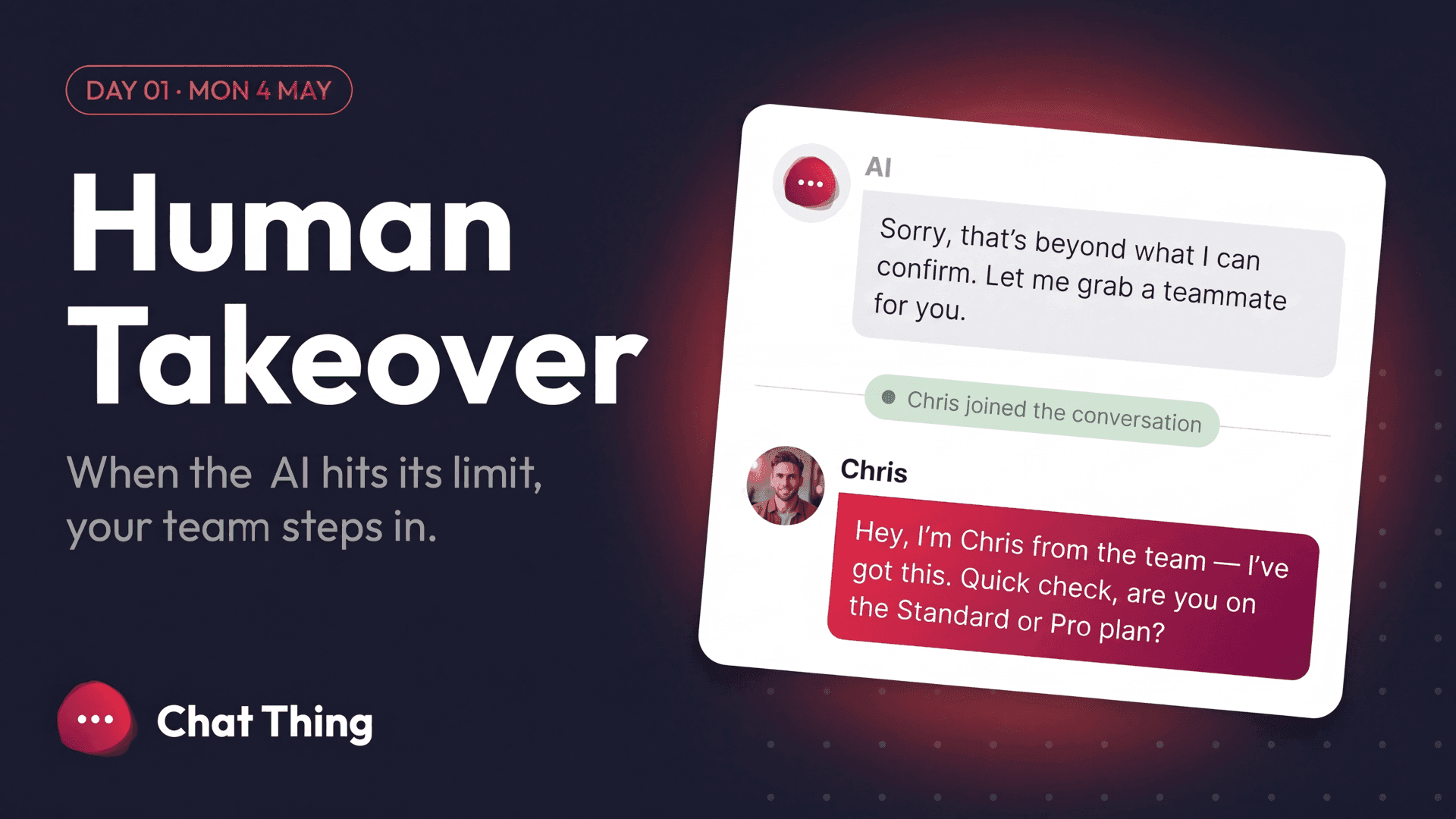
Human Takeover lets a teammate step into a live Chat Thing conversation, take over from the AI, and reply in real time. Same window, same thread, no redirects.
The AI pauses. Your teammate types. The customer sees a real name and a real avatar appear in the chat. When the issue is resolved, one click hands it back to the AI, which picks up with full memory of whatever the human said.
## Why we bothered to rebuild this
Last year we shipped the "Talk to a Human" Power-Up. It emailed your team when the AI flagged a conversation it couldn't handle. It was a start.
It wasn't enough, though, and we knew it at the time. Email is slow. Email is a different tool. Email loses the thread. The customer sits there watching an idle chat window while the conversation gets pushed into someone's inbox and forgotten about twice before anyone replies.
Human Takeover keeps the whole thing in one place. The context stays live. The customer stays in the chat. Your team never opens a second tool.
## How it works
The AI is handling the conversation as normal. Your teammate sees it in the Live Conversations view in the dashboard.
They click Claim, and the AI steps aside.
They reply as themselves, and the customer sees their name and avatar. When the issue is resolved, they click Hand back to bot, and the AI resumes with the human's replies baked into its memory.
No retraining. No pasting context into a new tool. Nothing for your teammate to set up beyond being invited to the account.
## Where this earns its keep
Some conversations are never going to be an AI's job, and they're the ones where getting it right actually matters. Anything involving money, legal grey areas, or safety. Frustrated customers where tone matters more than accuracy. Specialist questions that really do need your founder or your lead engineer. Complex sales where judgement and negotiation beat a clean reply.
You can set rules that automatically route those conversations to your team, or you can leave it manual and let the AI flag chats it's unsure about. Either way, your team stays in control of the policy.
## Two things that make this different
The handoff is bidirectional and context-preserving. When the human hands back, the AI sees the full thread, including what the human said, and continues as part of the same conversation. There's no amnesia step where it pretends the last five messages never happened.
And the trigger is flexible. You can take over manually by spotting a chat, you can set rules for keywords or intents or specific customers, or you can let the AI itself raise a hand when it's unsure. You pick.
## Getting started
Live today on the Standard plan and above, no migration needed.
Open any assistant, go to Settings > Human Takeover, flip it on, invite your team. The next conversation that needs a person, you'll be there.
[Read the full documentation →](https://chatthing.ai/docs/human-takeover)
## What's next this week
Day 1 of five. Tomorrow gets visual....
### **Related articles **
[](https://chatthing.ai/blog/add-ai-chatbot-to-wordpress) [How to add an AI chatbot to your WordPress site
](https://chatthing.ai/blog/add-ai-chatbot-to-wordpress)
Step-by-step: put a Chat Thing AI agent on any WordPress site with the free WPCode plugin, or embed it in a single page. Real screenshots from WordPress 7.1, plus fixes for the problems you're most likely to hit.
[](https://chatthing.ai/blog/introducing-voice-calls) [Introducing voice calls: your AI agent, now speaking
](https://chatthing.ai/blog/introducing-voice-calls)
Visitors can now talk to your Chat Thing agent from your web chat. It answers from your knowledge, uses your power-ups and keeps your choice of AI model, while your website responds around the conversation.
[](https://chatthing.ai/blog/chat-thing-webmcp-website-copilot) [Turn a WebMCP-enabled website into a copilot with Chat Thing
](https://chatthing.ai/blog/chat-thing-webmcp-website-copilot)
Chat Thing can now discover the tools a WebMCP-enabled page exposes and let an embedded agent use them. Add the widget, switch on WebMCP, and the page has a conversational copilot.
- **Previous **
- [← What Your Slack Agent Should Be Doing (But Isn't)](https://chatthing.ai/blog/what-your-slack-agent-should-be-doing-but-isnt)
- **Next **
- [Rich Display Modes: your agent can now reply with cards, charts, tables, maps, and diagrams →](https://chatthing.ai/blog/launch-week-02-display-modes)